
Online or offline broadcast: which mode to use and when
Summarize with AI:ChatGPTClaudePerplexityGrokGoogle AI Mode
There are two ways to get your voice to the group, and the difference is where the audio travels. Offline broadcast keeps it on a local WiFi network created by a portable router you carry. Online broadcast sends it over the internet through Your Next Tours servers, and listeners join through a link.
On our second field test, a three-day tour along the Aegean coast, the guide used both on the same tour. The choice was made site by site.
What is the actual difference?
Where the audio goes, and therefore what has to be working.
| Offline broadcast | Online broadcast | |
|---|---|---|
| Audio path | Local WiFi network you carry | Internet, via our servers |
| Needs mobile coverage | No | Yes |
| Listener must be with the group | Yes | No |
| Extra equipment | Portable router and power bank | None |
| Fails when | Group leaves router range | Site has no usable data |
| Typical use | Archaeological sites, underground, museums | City tours, remote listeners |
How do you choose for a given site?
Answer one question first: is mobile data dependable at every point on the route, including inside buildings and below ground? If the answer is anything other than a confident yes, use offline.
- Check coverage on the actual route, not at the car park.
- If there is any covered, underground or rural section, choose offline.
- If a listener needs to join from elsewhere, choose online.
- If both are true, run offline and let the remote listener join a separate online session.
- Set the router up before you need it, not when the signal drops.
What did each mode look like in the field?
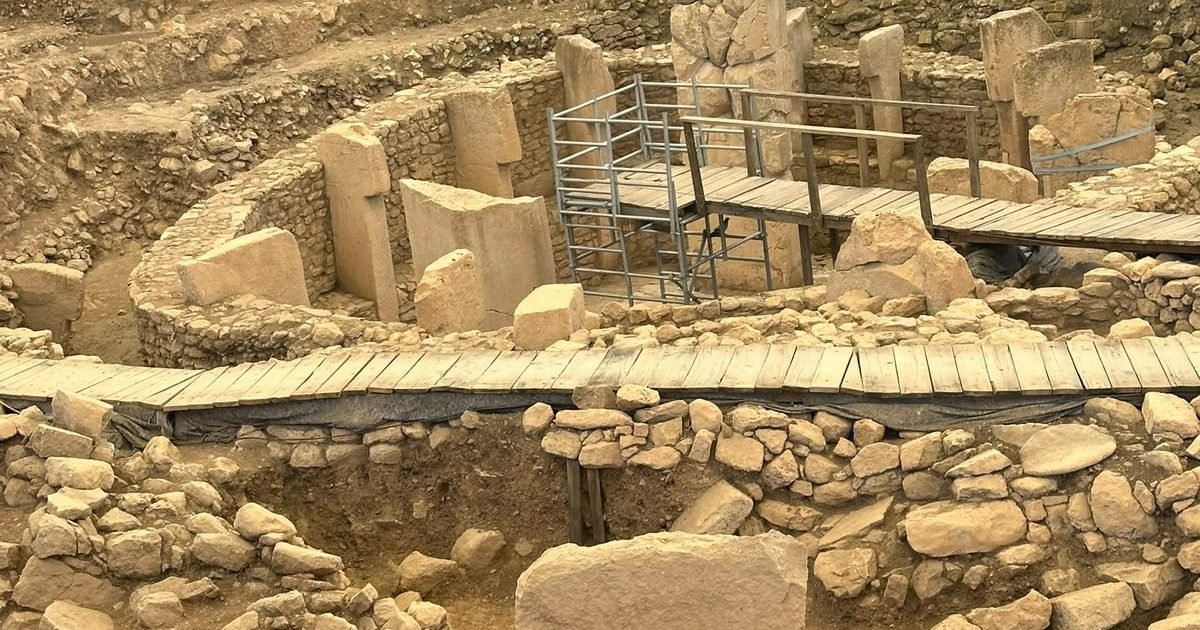
At the open archaeological sites and anywhere the group went below ground, offline was the only mode that behaved consistently. The audio never leaves the local network, so it does not depend on cellular coverage at all. At Gobeklitepe there was no internet on site whatsoever and the tour ran entirely on the carried network.
Online earned its place when someone needed to hear the tour without being in the group. That is a real case and it is the one thing offline cannot do, because a local network by definition ends where the router's range ends.
What happens if the signal drops mid-tour?
In either mode the connection re-establishes itself rather than requiring the participant to rejoin, and audio keeps running in the background even if the screen locks or the phone goes into a pocket. That matters most on open-air sites, where people wander to the edge of range and come back without noticing they left it.
The difference is what "edge of range" means. In offline mode it is the physical reach of the router you are carrying, which you fix by moving the router with the group. In online mode it is wherever the mobile network thins out, which you cannot fix at all.
Frequently asked questions
What is the difference between online and offline broadcast?
Which mode should I use by default?
Can a listener join without being with the group?
Does offline mode cost anything extra to run?
Can both modes be used on the same tour?
Set up the network before you need it
Our router setup guide covers what to carry and where to keep it during the tour.
Related articles
 GuidesPortable WiFi router setup for tour groups: what to carry and how to run it
 GuidesHow participants join your tour by scanning a QR code
 GuidesQuiet guiding in China and Japan: loudspeaker bans from the Forbidden City to Kyoto's temples (2026)
 GuidesHow long should a group spend at an archaeological site?
 GuidesUS walking tour rules on loudspeakers and group size: Savannah, Charleston, New Orleans and Salem (2026)
 GuidesGroup audio rules at the Rijksmuseum, Van Gogh Museum and other Amsterdam sites (2026)